

Guidance Articles
When Your Email Service Stops Working the Way Your Business Does
When Your Email Service Stops Working the Way Your Business Does
Sometimes the best small-business software ideas come from something that is simply annoying you.
Recently, our hosting company decided to move us away from a long-established email service that we had been using for years. The replacement service was perfectly capable as a basic webmail system, but it came up short in one area that had become surprisingly important to the way I work.
The problem wasn’t sending or receiving email.
It was how I used email.
More than just signatures
Over the years, I had built up a collection of email signatures and, more importantly, pro-forma emails that I used regularly when dealing with suppliers.
These weren’t really signatures in the traditional sense.
For example, when placing an order with a supplier, I would have a ready-made email containing the wording I needed, with spaces for things such as:
- Our order reference
- The customer’s shipping address
- Product details
- Engraving instructions
- Payment information
- Special delivery instructions
I also had templates for confirming payments.
So instead of writing the same email again and again, I could select the appropriate template, fill in the details and send it.
It saved time and, perhaps more importantly, reduced mistakes.
The problem was that the new email system didn’t provide the same flexibility.
It could handle ordinary signatures, but the workflow I had developed over many years was no longer there.
I looked for an easy solution
My first thought was that surely there must be a browser extension that would solve this.
I use Firefox, so I looked at extensions that promised to provide email templates, snippets, signatures and reusable text.
Some came close.
But none really fitted the way I wanted to work.
I didn’t want another complicated email system.
I didn’t want to move everything into Outlook.
I didn’t want a collection of browser extensions tied to one particular browser.
And I certainly didn’t want to start paying a monthly subscription simply to store a handful of email templates.
For a while, I went back to something very basic.
I kept the templates in a text file and copied and pasted them whenever I needed one.
It worked.
But it was clumsy.
And every time I found myself scrolling through that file looking for the right supplier email, I thought there had to be a better way.
Then I thought: why not build one?
This is where having a background in web development and AI becomes useful.
Rather than trying to make somebody else’s system do what I wanted, I decided to build a very small web application specifically around the problem.
The result is Email Desk.
It is deliberately simple.
I can open it in a browser, log in and immediately see my collection of reusable emails.
Instead of searching through a text document, I have a proper template library.
Templates can be organised by supplier or category and I can search them quickly.
Fill in the details and generate the email
But the important part is what happens when I select a template.
Each template can contain fields for the information that changes from one email to the next.
For example:
- Customer name
- Invoice number
- Order number
- Amount
- Payment reference
- Order details
- Shipping address
- Shipping phone number
- Engraving details
I simply fill in the relevant fields.
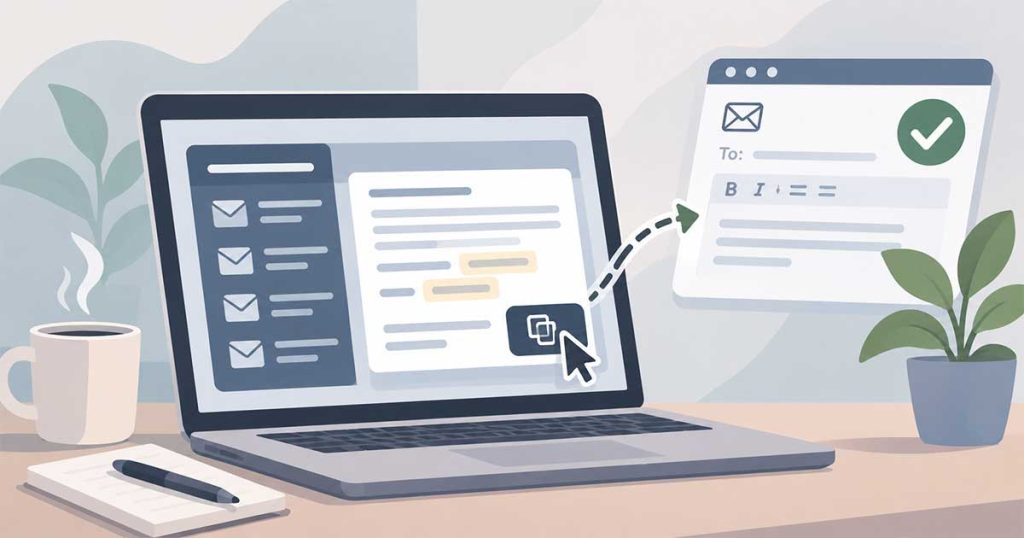
Email Desk then generates the completed email for me.
There is no need to edit the original template and no need to hunt through the text looking for the bits that need changing.
And once it is ready, there is a one-click Copy Email button.
Click it, switch back to webmail, paste it into the message and send it.
That’s it.
What had previously involved finding a text file, finding the right template, copying it, editing it and checking that I hadn’t accidentally changed the standard wording is now a much cleaner process.
It’s not trying to replace email
That’s an important distinction.
Email Desk isn’t another email service.
I still use my normal webmail to send and receive messages.
Email Desk simply provides the missing productivity layer.
It gives me a place to keep the standard communications that I use repeatedly and a quick way to turn them into a finished email.
It also means my supplier templates aren’t tied to one particular email provider.
If my hosting company changes webmail software again in the future, my templates don’t disappear with it.
And it works across devices
Because it is a web application, I can use it from my desktop PC, laptop, phone or tablet.
I’m not dependent on Firefox.
I’m not dependent on a particular email provider.
And because it is hosted on my own web space, I have control over the application and its data.
That’s particularly useful for a small business.
The software doesn’t need to be a huge enterprise system. It just needs to be available when and where I need it.
There is plenty more we could do
The first version is intentionally focused on the problem that started the project.
But once you have the basic system in place, there are some obvious possibilities.
Templates could be expanded for:
- Customer enquiries
- Quotes
- Follow-ups
- Supplier orders
- Payment confirmations
- Delivery instructions
- Appointment confirmations
- Regular business communications
AI could also become part of the workflow.
Imagine selecting a completed email and choosing:
- Polish
- Make it friendlier
- Make it firmer
- Make it shorter
- Write a reply
That could turn a simple template manager into a much more useful small-business communication assistant.
But there is no need to build everything on day one.
The first objective was simply to replace something that had stopped working for me.
And it does.
Could this become a service?
Possibly.
What started as a solution to my own problem is potentially useful to other small businesses.
Many businesses have repetitive emails that are written over and over again.
Supplier orders.
Payment confirmations.
Quotes.
Appointment confirmations.
Customer follow-ups.
Delivery instructions.
Booking confirmations.
Internal communications.
The information may be different each time, but the basic structure of the email is often the same.
A simple tool that puts those templates in one place, lets you fill in the changing information and then copy the finished email with one click could save a surprising amount of time.
And there is another lesson here.
Your business doesn’t always need another big software package.
Sometimes you need a small piece of software designed around the way you actually work.
That’s exactly what we did with Email Desk.
Have you got a problem like this?
This is also the sort of thing we enjoy working on at Hendley.ie / Small Biz Clarity.
We work with small businesses to look at the practical problems that get in the way of running the business — whether that’s email, websites, ecommerce, marketing, automation or increasingly AI.
Sometimes the answer is an existing product.
Sometimes it is a configuration change.
And sometimes, as in this case, the best answer is to build a small application that does exactly what is needed.
We may make Email Desk available as a service in the future.
But if you’ve got a business problem that you’ve been working around with spreadsheets, text files, copy-and-paste, complicated software or a collection of browser extensions, get in touch.
There may be a much simpler solution.
Need a clearer way forward?
Get practical, actionable guidance to improve your online visibility, simplify your digital workload and make better use of technology.
From digital strategy, email marketing and AI solutions to web development and automation, we help small businesses find practical solutions that work in the real world.
Have a digital challenge you’re struggling with? Get in touch and let’s see if we can help.
Get In Touch